
How to Train Your E-commerce Chatbot on Your Product Catalog & Customer Data?
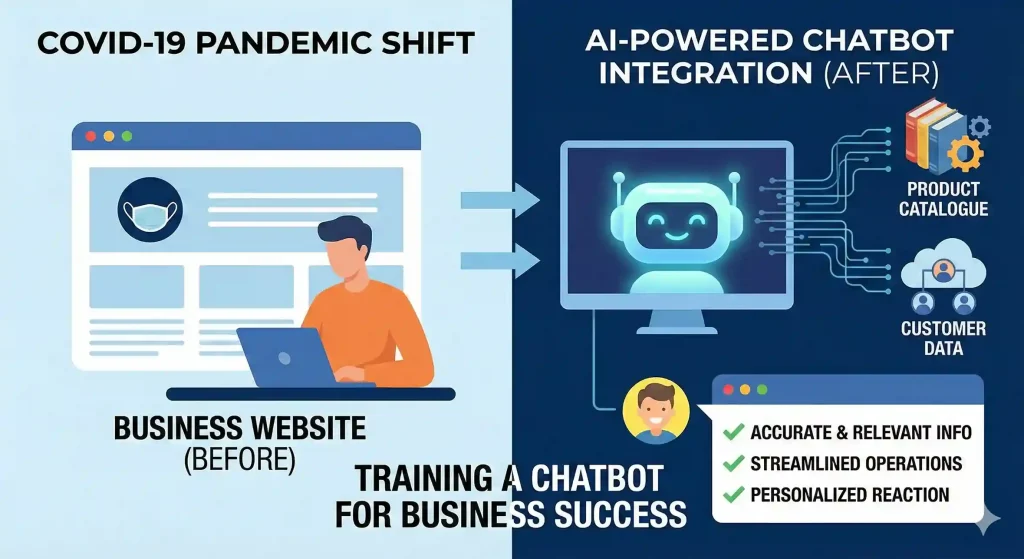
With the COVID-19 pandemic prompting many companies to turn to their websites, the demand for improved customer care and more streamlined operations has increased the presence of chatbots in business. Using a company’s product catalogue and customer data to train a chatbot can make it many times more effective. This allows the bot to serve accurate and relevant information, helping the user quickly. If you can learn how to do this, you can help businesses provide a personal and responsive reaction. Let’s unleash how!
Understanding Chatbot Training
Chatbots operate based on data. They need information in a structured way to provide answers to questions and offer assistance. Information such as names, descriptions, prices, and specifications makes up product catalogs. Insights from customer data, purchase history, and frequently asked questions. Merging these two types of information enables a chatbot to provide accurate responses to a diverse range of requests. Many online retailers aim to streamline customer interactions and often choose to discover the best AI chatbot for ecommerce now to support their growing needs.
Preparing Product Information
The first step is to digitize all product information, which may include spreadsheets, databases, or content management systems. Ensure all products are complete and up to date. This consists of a detailed picture, condition, specifications, and description. You should logically organize the catalog and use categories that are easy for users to understand and comprehend. This enables the chatbot to search and remember information accurately and quickly.
Structuring Customer Data
Next, review customer information. Target data that corresponds to purchase behavior. Review past purchases, tickets, and feedback. Shrink the database by deleting obsolete or unwanted entries. Identify customers who share common behavior, e.g., those who frequently buy or have shown interest in similar Items. That segmentation empowers the chatbot to tailor its responses and recommendations.
Integrating Data into the Chatbot
Once you have prepared the product catalog and customer data, you should integrate them with the chatbot platform itself. Most chatbots have an integration tool to consume structured information. Creator tools to pull relevant data into its database for your chatbot. Correctly maps each product field with customer attributes, and thus generates the correct recall during conversations. It is a crucial step in ensuring consistency and helpful responses.
Creating Sample Questions and Responses
After integration, create a list of frequently asked questions that users are likely to ask. This can involve factors such as product availability, shipping, or return policy. Use customer data to personalize responses. For instance, if the company is selling beauty products, the chatbot can recommend products based on your purchase history. We test that these answers are clear, adequately address the question, and are sufficiently helpful.
Maintaining Data Quality
Chatbots require regular updates and training. Regular review to update product information and remove discontinued items. Update attributes to reflect the latest customer behaviors and preferences. Providing the most accurate data possible to minimize errors and improve user experience. Performing maintenance consistently will also help you prepare your chatbot for high-volume shopping events or when launching your product.
Ensuring Data Privacy and Security
All customer data must never be taken lightly. Secure sensitive information against unauthorized access. Examine best practices — data privacy is the most complex problem companies will face, so explain best practices simply to staff. Integrate and store on a secure platform. Following the laid rules and regulations helps in gaining the trust of customers and also helps keep the business safe and secure.
Evaluating Chatbot Performance
Regular evaluation enables businesses to monitor the performance of their chatbot. Monitor metrics such as response time, resolution rates, and customer satisfaction. Review your chat logs for frequently occurring problems or questions that remain unanswered. Leverage these insights to improve continuously. A good chatbot enhances the overall user experience, not just by providing answers to questions asked.
Conclusion
An e-commerce chatbot can become an asset that listens and helps at the very first moment , trained on product catalogs and customer data. It requires preparation, assimilation, and ongoing maintenance. With an emphasis on the quality and relevance of your data, as well as privacy, and regular evaluations, a chatbot can provide significant assistance to any business. As a result, customers receive faster resolutions and relevant suggestions tailored to their individual preferences.